Falcon app icon

Falcon is a free, open-source asset manager for everyone.

Collect, tag, search and browse your images, PDFs, fonts, audio and video in one library. Native apps for macOS, Windows and Linux, built in Rust for speed.

Early alpha · macOS 12 or later on Apple Silicon, Windows or Linux on x86-64 (Intel and AMD) · MIT or Apache-2.0

JPG & PNGWebPGIFSVG PDFPSDAIHEIC RAWVideoAudioFonts
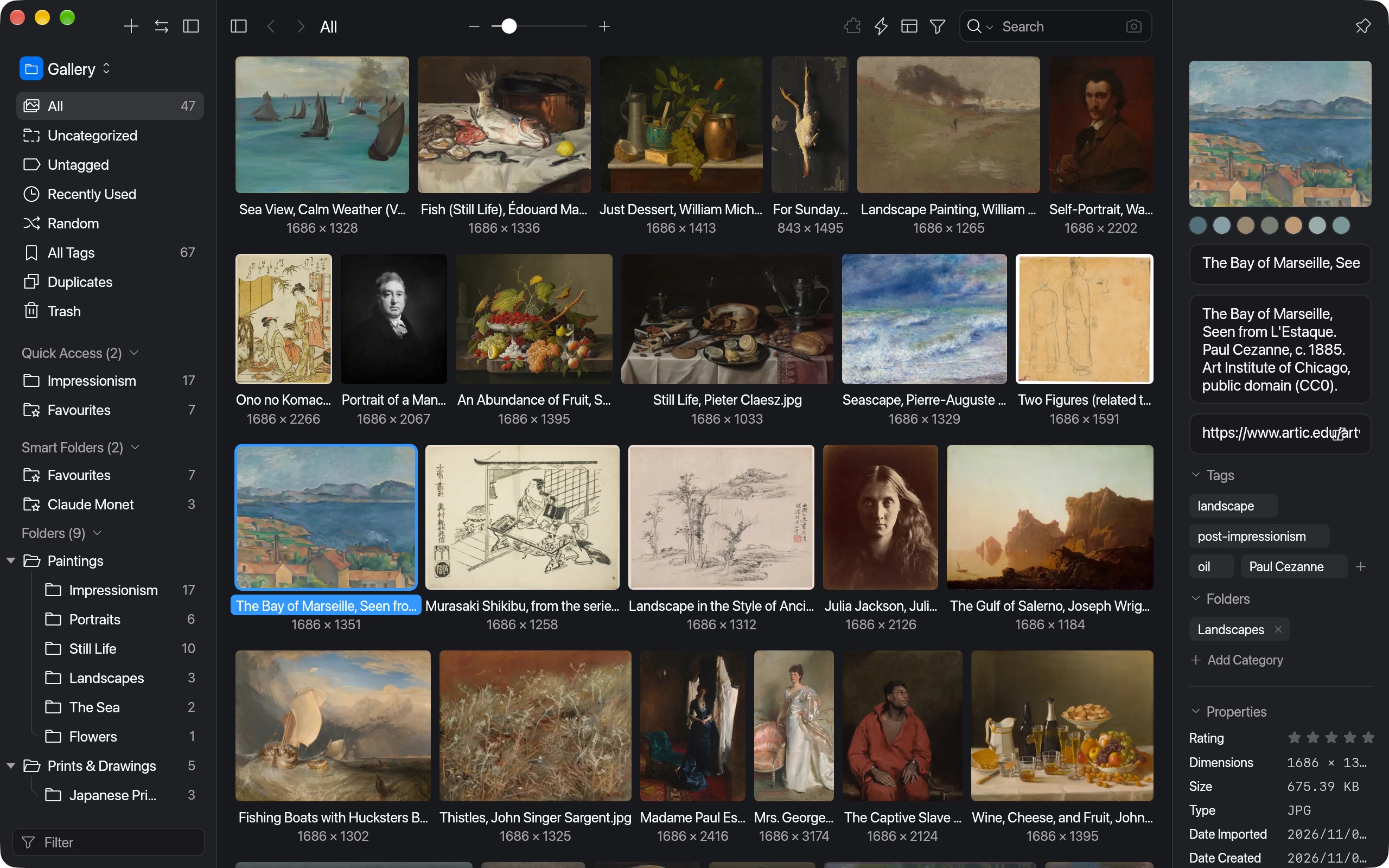
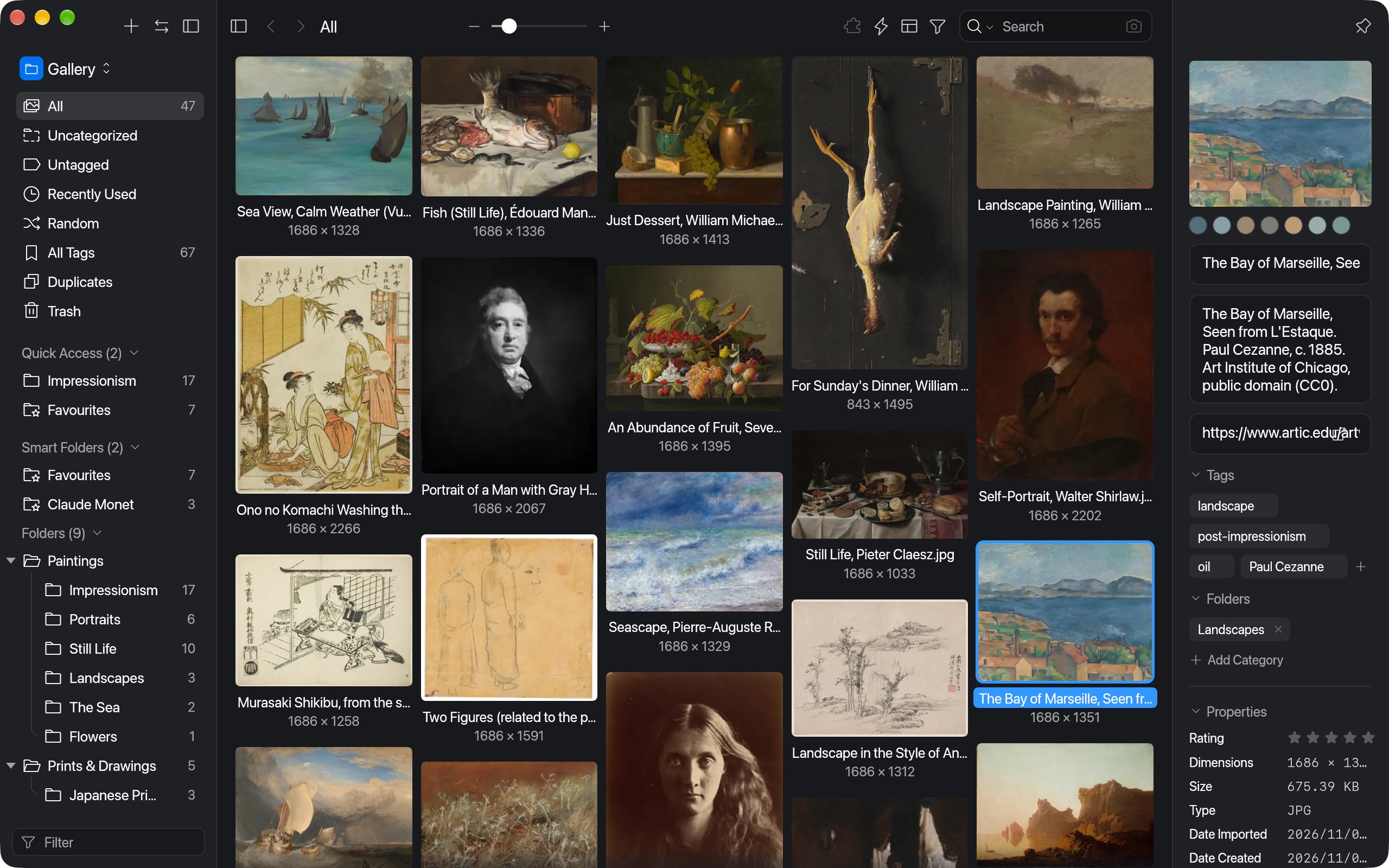
Falcon showing a library of public-domain paintings in the Waterfall layout, with Seurat's A Sunday on La Grande Jatte selected and its palette, notes, tags and properties in the inspector

A library of public-domain paintings from the Art Institute of Chicago. A Sunday on La Grande Jatte — 1884, Georges Seurat.

Download

Download Falcon

Free. One download for Macs, two for Windows and two for Linux, all holding the same app. To update, download the new version and install it the same way; Falcon doesn't update itself yet. What works on each system is under Early alpha.

Mac · Apple Silicon · .dmg

For Macs with Apple Silicon (M1 or newer) and macOS 12 or later. There is no download for Intel Macs yet.

Install Open Falcon-arm64.dmg and drag Falcon to Applications.

First launch Falcon isn't notarised by Apple, so macOS refuses it at first. Click Open Anyway in System Settings ▸ Privacy & Security; on macOS 14 and earlier you can instead right-click Falcon and choose Open. Or run this in Terminal:

xattr -dr com.apple.quarantine \
  /Applications/Falcon.app
Download .dmg

Windows · x86-64 · installer

For 64-bit Windows on x86-64 (Intel and AMD). There is no build for ARM yet, and only Windows 11 has been tried so far.

Install Run Falcon-x86_64-setup.exe. It installs for you alone, without admin rights, in %LOCALAPPDATA%\Programs\Falcon, and adds Falcon to the Start menu. To remove it, use Add or remove programs; your libraries and settings stay.

First launch Falcon isn't code-signed, so Windows SmartScreen warns you the first time. Click More info, then Run anyway.

Download installer

Windows · x86-64 · portable .zip

For the same Windows as the installer, when you'd rather not install anything.

Install Nothing to install: unzip Falcon-x86_64-portable.zip anywhere and run Falcon\falcon-app.exe. Its DLLs sit in Falcon\lib. To remove it, delete the folder; your libraries and settings live in the same places as with the installer.

First launch Falcon isn't code-signed, so Windows SmartScreen warns you the first time. Click More info, then Run anyway.

Download portable .zip

Linux · x86-64 · AppImage

For most distributions from 2022 or newer, on 64-bit Intel and AMD.

Install Nothing to install: make the file executable and run it.

chmod +x Falcon-x86_64.AppImage
./Falcon-x86_64.AppImage

First launch Opens straight away. It isn't added to your app menu.

Download AppImage

Linux · x86-64 · .deb

For Ubuntu, Debian and distributions based on them, from 2022 or newer, on 64-bit Intel and AMD.

Install Installs Falcon with an entry in your app menu.

sudo apt install ./Falcon-x86_64.deb

First launch Open Falcon from the app menu. To remove it later, run sudo apt remove falcon.

Download .deb

Falcon is early alpha. The Mac app isn't notarised by Apple, the Windows downloads aren't code-signed, and the Linux packages aren't signed. SHA-256 checksums · All releases

Build from source

Build Falcon yourself

Falcon is open source. You need Rust 1.89 or newer on any of the three; each card has the rest.

Mac

Needs Apple's command line tools (xcode-select --install). Video plays through macOS; FFmpeg, for the formats macOS can't play, is optional.

Build and run

git clone https://github.com/AhmedKhan-GH/falcon
cd falcon
cargo run --release -p falcon-app

Package it Build FFmpeg, then make Falcon-arm64.dmg in target/macos:

scripts/build-ffmpeg.sh
scripts/package-macos.sh

Linux

Needs these packages (Debian and Ubuntu names; other distributions use their own). FFmpeg plays video on Linux, so it is built first.

sudo apt install pkg-config libasound2-dev \
  nasm zlib1g-dev python3-venv

Build and run

git clone https://github.com/AhmedKhan-GH/falcon
cd falcon
scripts/build-ffmpeg.sh
cargo run --release -p falcon-app

Package it Make Falcon-x86_64.AppImage and Falcon-x86_64.deb in target/linux:

scripts/package-linux.sh

Windows

Needs Rust for the MSVC toolchain, with Visual Studio's C++ build tools. FFmpeg plays video on Windows, so it is built first, in an MSYS2 UCRT64 shell that can also see cargo and a Windows Python (set MSYS2_PATH_TYPE=inherit before opening it), with these packages:

pacman -S --needed make diffutils tar xz curl \
  mingw-w64-ucrt-x86_64-gcc \
  mingw-w64-ucrt-x86_64-binutils \
  mingw-w64-ucrt-x86_64-nasm \
  mingw-w64-ucrt-x86_64-zlib

Build and run

git clone https://github.com/AhmedKhan-GH/falcon
cd falcon
scripts/build-ffmpeg.sh
cargo run --release -p falcon-app

Package it In the same shell, make Falcon-x86_64-setup.exe in target/windows. The script fetches NSIS itself:

scripts/package-windows.sh

The README has the command-line tool and more.

Features

Features

Falcon keeps your references, assets and inspiration in one library on disk. These are the parts that work today; the status section below lists what is still missing.

01 · Collect

Bring files in any way you like

Drop files and folders onto the window, paste with ⌘V, open files with Falcon, or keep the always-on-top collect window open beside your browser. Each item gets a thumbnail and a colour palette automatically.

  • Images, SVG and animated GIF
  • PDF, PSD, AI, HEIC, RAW and video, with macOS QuickLook where it helps
  • Screen capture of an area, a window or the whole screen
  • Import folders with their folder tree, and skip or keep files already in the library
  • A panel lists imports that failed, with the reason
  • Waveform thumbnails for audio and specimen thumbnails for fonts
  • Camera, duration, tempo and font details, and IPTC and XMP keywords as tags
  • Imports run in the background with a progress bar
  • Images, video, audio, fonts, documents, 3D models and design files, listed in FORMATS.md
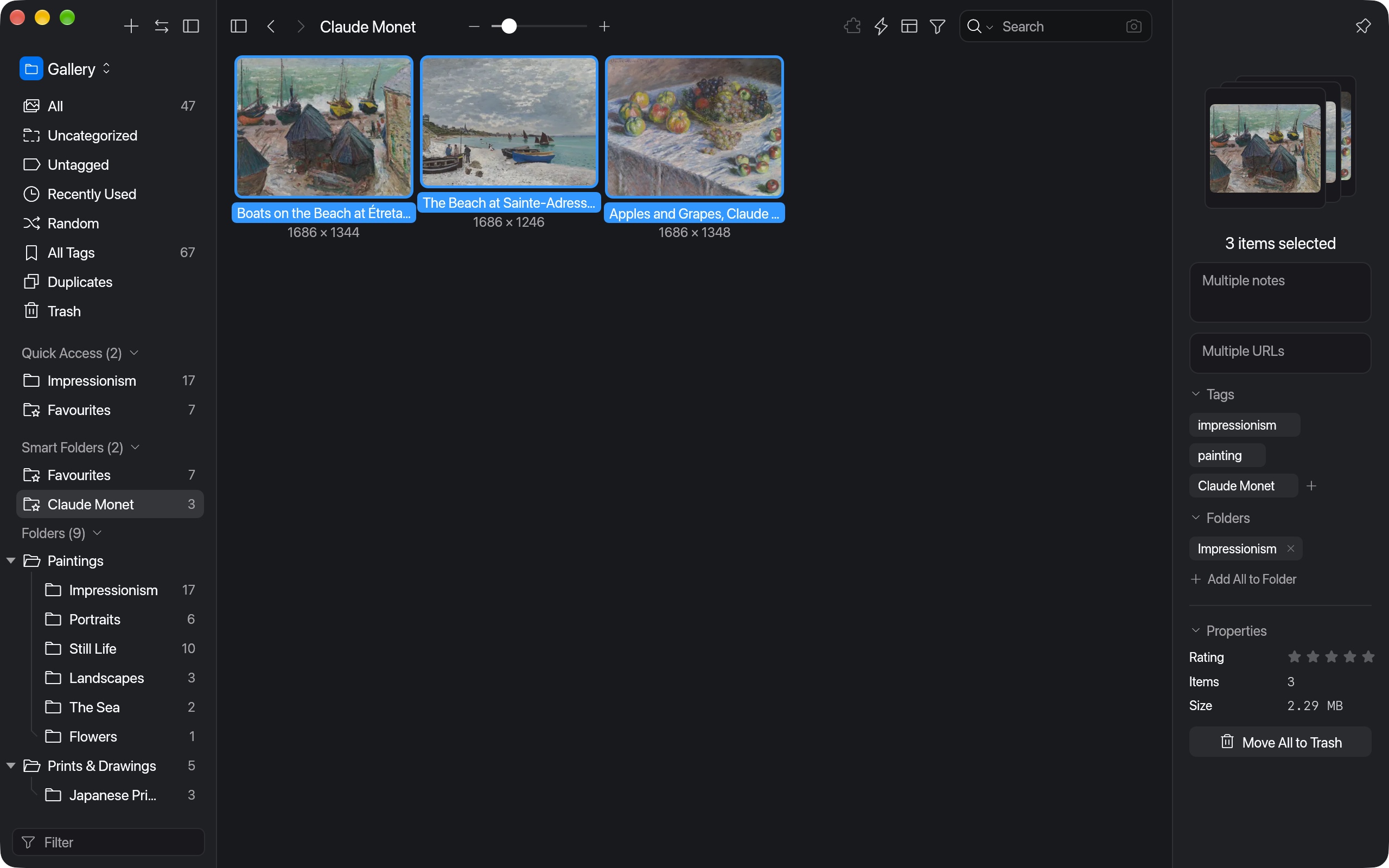
Three Monet paintings selected, with the inspector showing their shared tags and actions that apply to all of them
02 · Organise

Folders, tags and smart folders

Nest folders, pin the ones you use to Quick Access, and let smart folders gather items that match your rules. Folders take icons, colours, covers, passwords, auto-tags for items added to them and a manual item order.

  • Rename, merge, star and delete tags, and sort them into tag groups
  • Edit tags, folders and ratings on many items at once
  • Undo and redo for edits
  • A tag picker with suggestions, and marquee selection in the grid
  • Actions you define with steps, a shortcut and a menu entry
  • A Duplicates page for identical files and similar pictures
  • Export items or folders to a folder, CSV or a pack another library can import, or as JPG, PNG or WebP at a chosen size
  • Notes, source URLs, ratings and a Trash you can restore from
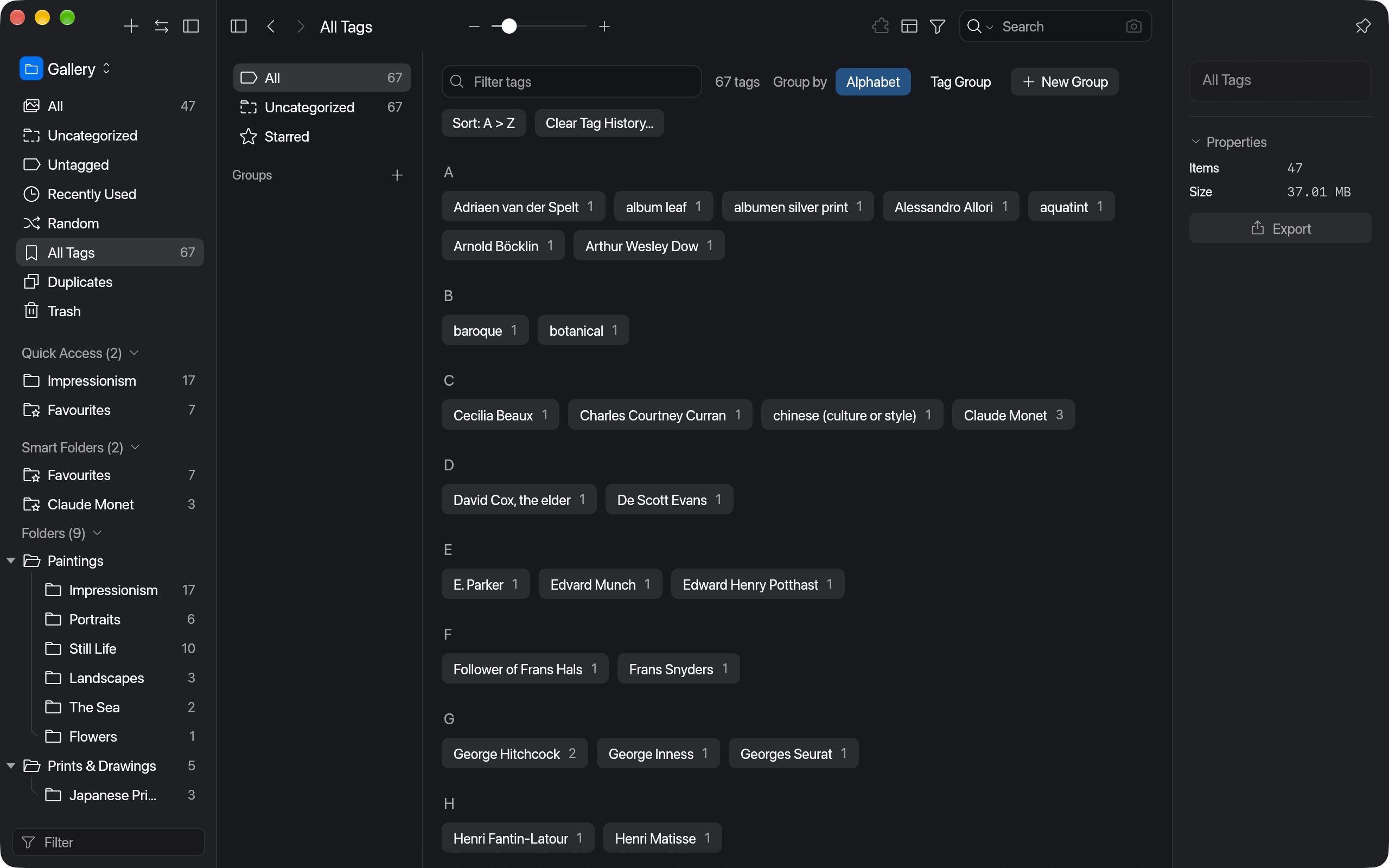
The tags page listing every tag with its item count, grouped by letter
03 · Search

Search by word, filter or colour

Type a few words, or combine them with OR, NOT and quoted phrases; small typos still match. The filter bar narrows by tag, folder, shape, rating, type, notes, URL, date, duration, tempo, camera and font.

  • Colour search ranks images by how close their dominant colours are
  • Click a swatch in the inspector to find similar images
  • Save a set of filters and reuse it
  • Sort by date, title, size, dimensions or rating
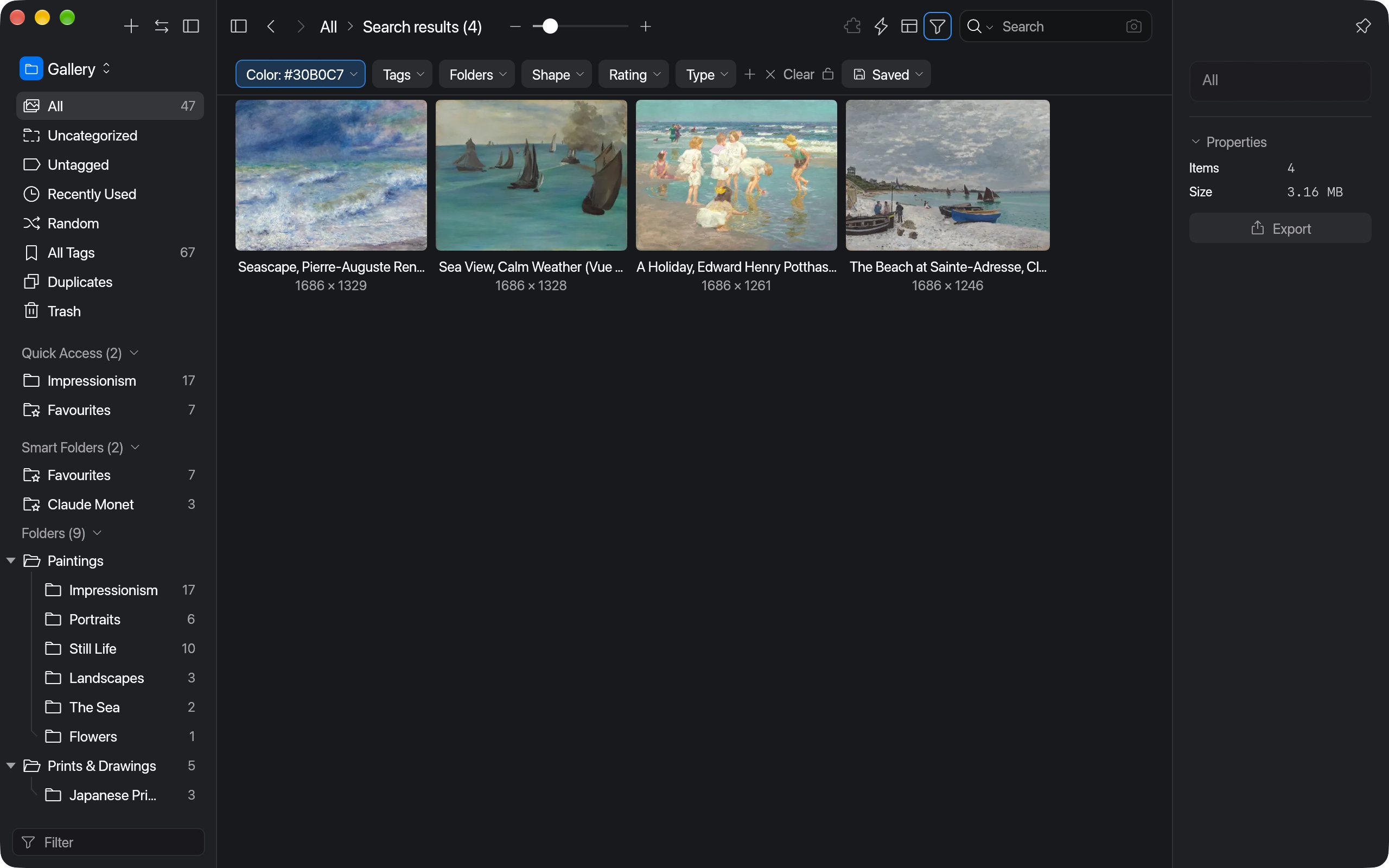
The filter bar with a colour filter showing four sea paintings
04 · Browse

Four layouts

Waterfall keeps every image's shape, Justified fills each row, Grid lines up square cards, and List shows the details.

  • Hover over a card for a larger preview
  • Drag items out into Finder, Figma or Photoshop, or copy their paths, names, thumbnails or Base64
  • Keep several libraries open and switch between them
  • Dark, light, gray, blue and purple themes, or follow macOS
  • The interface in eight languages, with sound effects and preferences panes
  • A native macOS menu bar, keyboard shortcuts for most actions, and rebinding in Preferences
Paintings arranged in the Justified layout, in rows of equal height
05 · View

A viewer for images, video, audio, PDFs, fonts, 3D and web pages

Items open inside the window between the sidebar and the inspector, and one button hides both panels. Zoom around the pointer, pan, fit or see an image at actual size, and step through items with the arrow keys.

  • Images, PSD and AI files open at full resolution
  • Video plays with a control bar and timed comments, with an FFmpeg fallback that includes AV1
  • PDFs open in a reader with find, text selection, spreads, rotation and print
  • 3D models turn and zoom with their textures, and IFC models load through web-ifc
  • Text files open in an editor, and web pages and MHTML files show live
  • Audio plays over its waveform, and fonts show a live specimen
  • Comment on a region of an image
  • Rotate, flip and crop originals
  • Open an item in its default app or another app
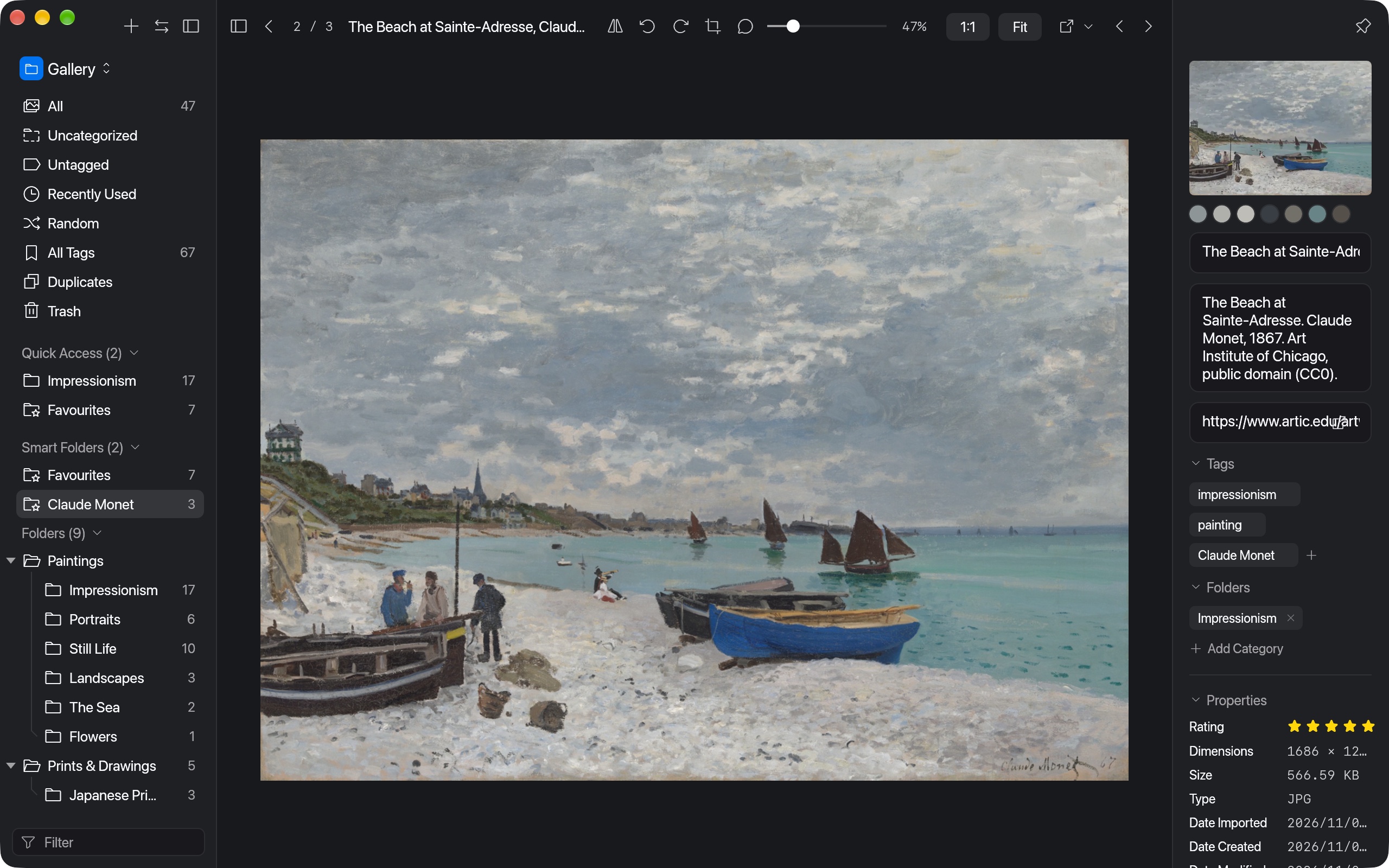
Monet's The Beach at Sainte-Adresse open in the viewer, between the sidebar and the inspector
Open source

Open source

Falcon is built in the open under the MIT and Apache-2.0 licences.

◎

Free

Every feature is free to use, for everyone.

⌘

MIT or Apache-2.0

Read the code, fork it, ship it in your own tools. Contributions are welcome.

▤

Plain files you own

A library is a folder of your originals and small JSON files. There is no database.

⚙︎

Written in Rust

A native app on egui: no Electron, no web view, thumbnails decoded on every core.

Developers

Command-line tool and HTTP API

The same engine runs the app, a command-line tool and a local HTTP API, so scripts and other tools can work with your library too.

# Create a library and add files
$ lib=~/Pictures/Moodboard.library
$ falcon new "$lib"
$ falcon import "$lib" \
    poster.png --tag type --tag 1960s
$ falcon info "$lib"
items:   1 (0 in trash)
folders: 0
tags:    2
# Talk to the running app over HTTP
$ curl -X POST localhost:41596/api/item/addFromPath \
    -d '{"path": "/tmp/ref.jpg", "tags": ["ref"]}'
{"status":"success","data":"MVP8K2…"}

$ curl -X POST localhost:41596/api/v2/item/query \
    -d '{"query": "poster OR flyer -draft"}'
Status

Early alpha

Falcon is being built feature by feature. PARITY.md checks each planned local feature in falcon's code: about 99% are done, and the rest are listed there with the reason. FORMATS.md lists the file formats it handles, and ROADMAP.md what is left and what comes later.

Working today

  • Import with thumbnails, colour palettes, folder trees and screen capture
  • Folders, tags with a tag picker, tag groups, smart folders, Quick Access, undo
  • Keyword, filter and colour search, saved filters
  • Four layouts, marquee selection, hover preview and themes
  • Viewers for images, video, audio, fonts, text, PDFs, 3D models, PSD, AI and web pages
  • Duplicates, region comments, rotate, flip and crop
  • Actions and Export in Format, built into the app
  • Preferences panes, sound effects and eight interface languages
  • Command-line tool and local HTTP API

Not there yet

  • Some File > New templates, such as Keynote and Sketch
  • Sharp zoom in PPT files past 8192 px
  • A check on screen of some newer features
  • Plugins
  • Native review of the translations
  • An Intel Mac build, a Windows build for ARM, a notarised Mac app and a signed Windows installer

On each system

FeatureMacWindowsLinuxNotes
Libraries, import, folders, tags, smart folders, search, layouts, the viewer, the command-line tool and HTTP API✓✓✓
Video playback✓✓✓Mac: AVFoundation, with FFmpeg for the rest. Windows and Linux: the bundled FFmpeg
The built-in PDF reader and PDF thumbnails✓——Elsewhere PDFs open in your default app
HEIC, AVIF and JPEG XL✓——Read through macOS
Thumbnails through QuickLook: Office, iWork and many design files✓◐◐Elsewhere, the preview picture stored in the file, where it has one
Live web pages, MHTML and bookmark screenshots✓——
Screen capture✓——
Dragging items out of the window✓——
Opening files from Finder or File Explorer, and links that open Falcon✓——
Tray icon, notifications, global hotkeys and the share sheet✓——
Touch ID, starting at login, transparency effects and iCloud handling✓——
Cloud AI providers✓——See AI features below

File formats

FormatsMacWindowsLinuxNotes
jpg, png, bmp, gif, webp, svg, tif, tga✓✓✓Full resolution; GIF and WebP animate
hdr, exr✓✓✓Tone-mapped, with an exposure slider
psd, psb✓✓✓Falcon’s own decoder, at full resolution
RAW: arw, cr2, cr3, dng, nef, raf, rw2, orf and 10 more✓✓✓The full-size preview inside the file
heic, heif, avif, jxl✓——Through macOS; JPEG XL needs macOS 14
ico, icns, dds✓◐◐QuickLook on the Mac
ai, ait, eps✓◐◐Mac: drawn sharp at any zoom. Elsewhere, the preview picture in the file
pdf✓——A reader with find, spreads, rotation and print
txt✓✓✓An editor that saves as you type
doc, docx, xls, xlsx, ppt, pptx, key, pages, numbers✓◐◐QuickLook on the Mac. Elsewhere, the preview picture in the file, where it has one
Design files: xd, sketch, fig, afdesign, afphoto, c4d, blend, clip, skp, dwg, cdr, indd and more✓◐◐QuickLook where the app that makes them is installed, else the preview picture in the file
ttf, otf, ttc, woff, woff2✓✓✓A font viewer with specimens and activation
mp3, wav, ogg, flac, aac, m4a✓✓✓A player over the waveform
mp4, mov, m4v, mkv, webm, avi, wmv, flv, mpg, ts and more✓✓✓AV1 too, through dav1d
3D: glb, obj, fbx, 3ds, 3mf, dae, ply, stl✓✓✓Turn and zoom, with textures
ifc✓✓◐Full geometry through web-ifc; the Linux packages show only the tessellated parts for now
url, html, mhtml✓——Live pages on the Mac; elsewhere they import without one
Libraries and library packs✓✓✓Opens libraries, imports and exports packs
epub, md, csv, json, odt, ods, odp, usdz, jp2———Not planned yet; they import as plain items

From FORMATS.md, which covers 124 file extensions. 101 have been opened from a sample file; the other 23, from closed or paid apps, haven’t been tried on a real file yet.

AI features

AI featureMacWindowsLinuxNotes
AI Search: find pictures by describing them, or by a similar one✓✓✓CLIP, on your own computer after a one-time model download. The Mac uses its GPU, Windows and Linux the CPU
Local models: Ollama or LM Studio✓✓✓No key needed; requests go only to the server you set
Any OpenAI-compatible server✓◐◐On Windows and Linux, only servers that need no key, since keys are kept only in the macOS Keychain
Cloud models: OpenAI, Anthropic, Google Gemini, DeepSeek and Tongyi Qwen✓——Keys are kept in the macOS Keychain; Windows and Linux have no key store yet
AI steps in Actions: auto-tag, and write a description into the notes✓✓✓With a local model on Windows and Linux
MCP server: lets AI assistants use your library✓✓✓Built in, off until you turn it on
Plugins———No plugin system yet. Six extensions are built in instead: Actions, Export in Format, Combine Images, the MCP server, AI Models and AI Search

✓ works · ◐ partly · — not yet. The Windows and Linux columns follow the code and the docs; on Windows only Windows 11 has been tried by hand.

Falcon is early alpha and unsigned.

Get started

Download Falcon for a Mac, Windows or Linux, or build it from source on any of them.